
Adding Text
If you’d like to add a new text section to your website (where there currently is NOT text), the process is similar:
1. Login
- Scroll to the bottom of your website and click the Design N Rank logo on the bottom left.

- This will take you to a login page. Enter your password here and click login.
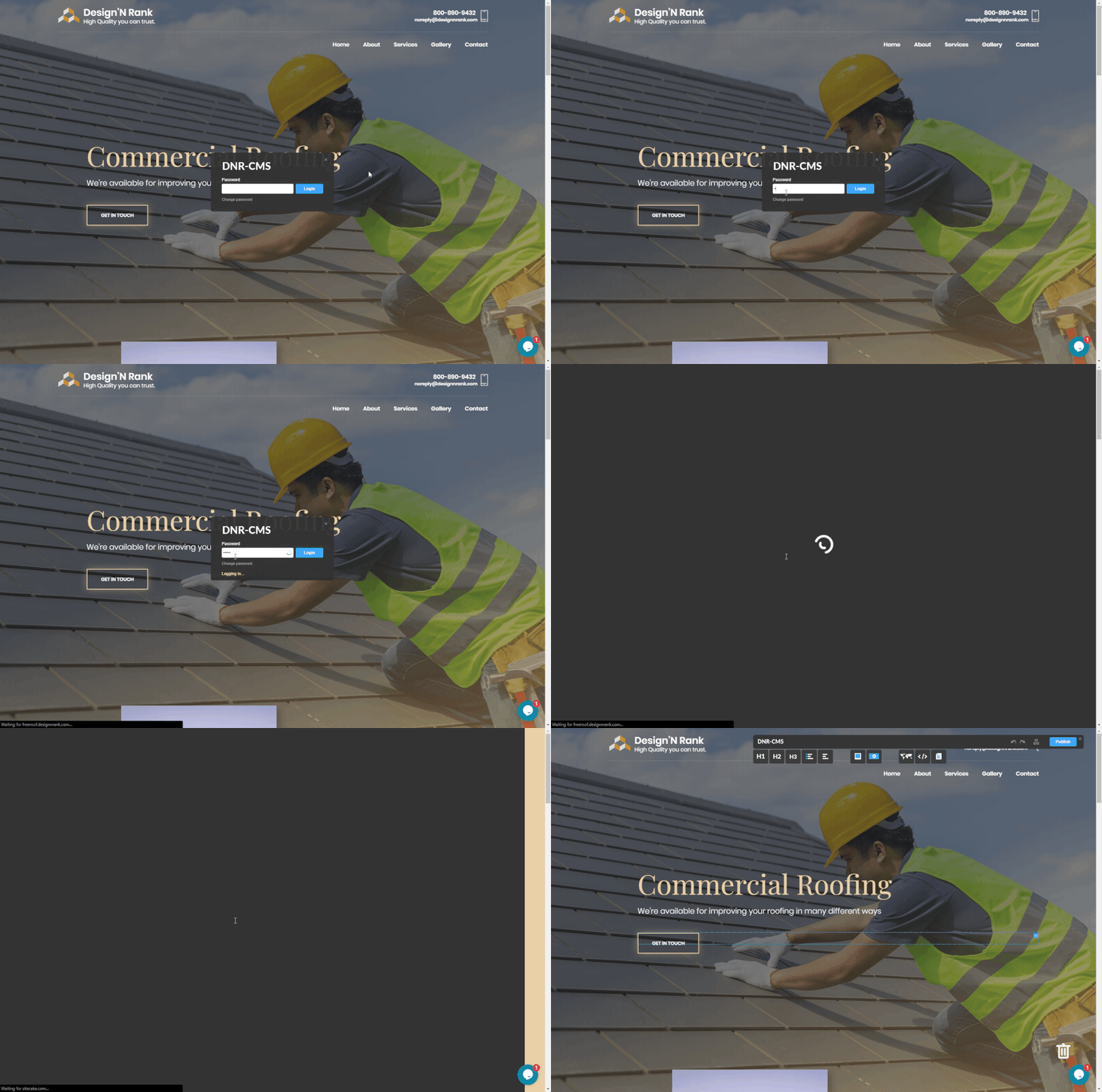
2. Add Your Text
- Drag and drop one of the 5 text buttons (top center of your website) to the location where you want the text added.
- H1 – The largest size text (use for your big headlines)
- H2 – Medium size text (use for smaller titles)
- H3 – Slightly larger than normal (use for subheadings)
- Bullet List
- Paragraph (use for your regular content)
- Click on the newly created area and type your new text.

3. Update (Publish) Your Site and Verify Changes
Pro Tip: You can also add text effects like Bold or Italics by selecting the text and clicking the “B” or “i” icon at the top of your site.