
How to Change Text page
How to Change Text on Your Website
Coming up with the perfect words to describe your business can be difficult, but changing them on your website doesn’t have to be. With our CMS, changing text takes no more than a few seconds as
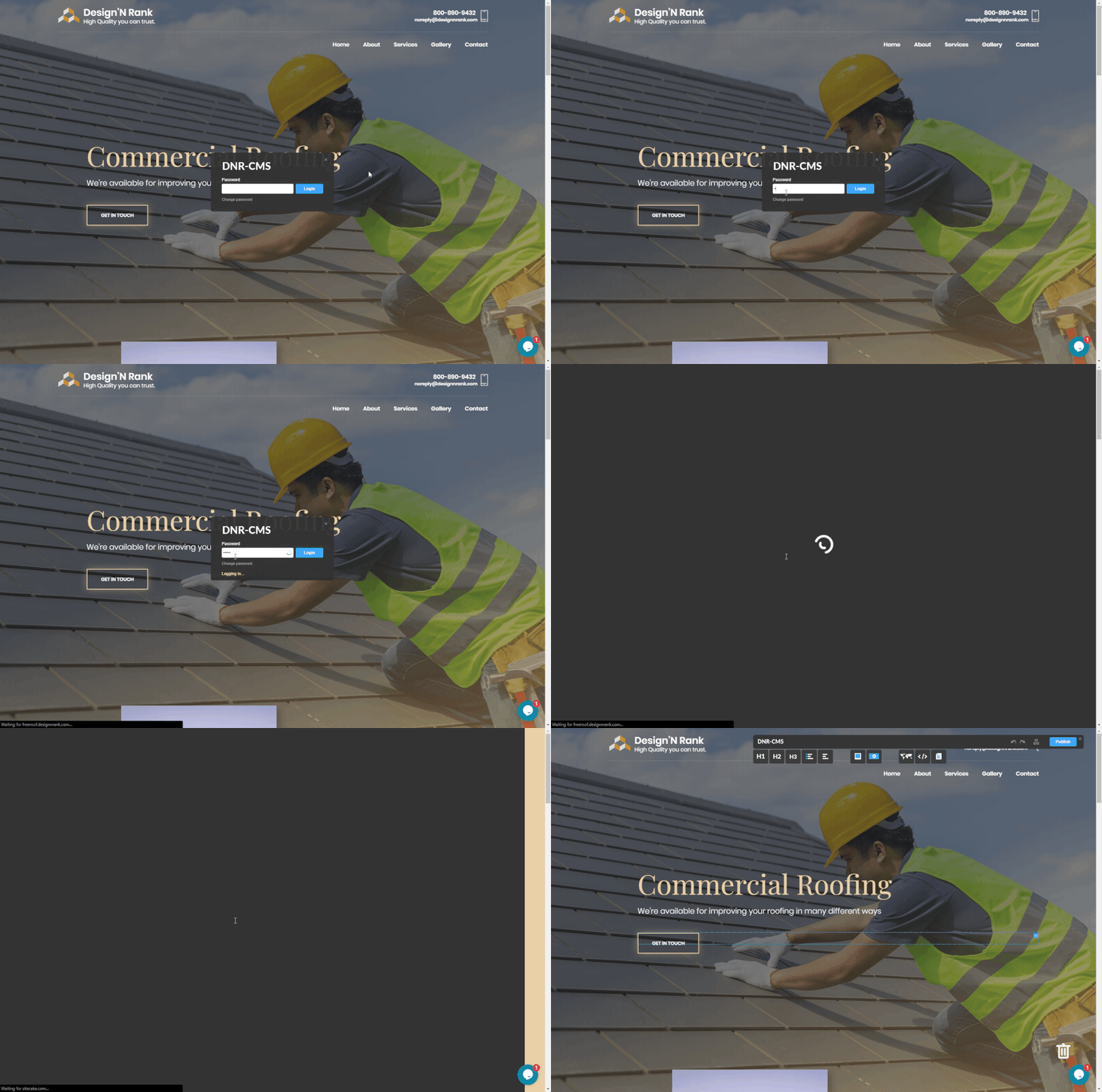
Here are the individual steps with illustrations:
1. Login
- Scroll to the bottom of your website and click the Design N Rank logo on the bottom left.

- This will take you to a login page. Enter your password here and click login.
2. Change Text
- Double-click the text you want to change.
- After it has been highlighted, start typing to replace the existing words with new text.

3. Update Your Site
- Click the blue “Publish” button in the top right corner of your site.

And lastly, always refresh/reload your site to make sure the new change is there.